

SSL_TLS_certificate_filarmonica
To install SSL/TLS certificates for the filarmonica.md website, you need to request and install the certificate on the hosting.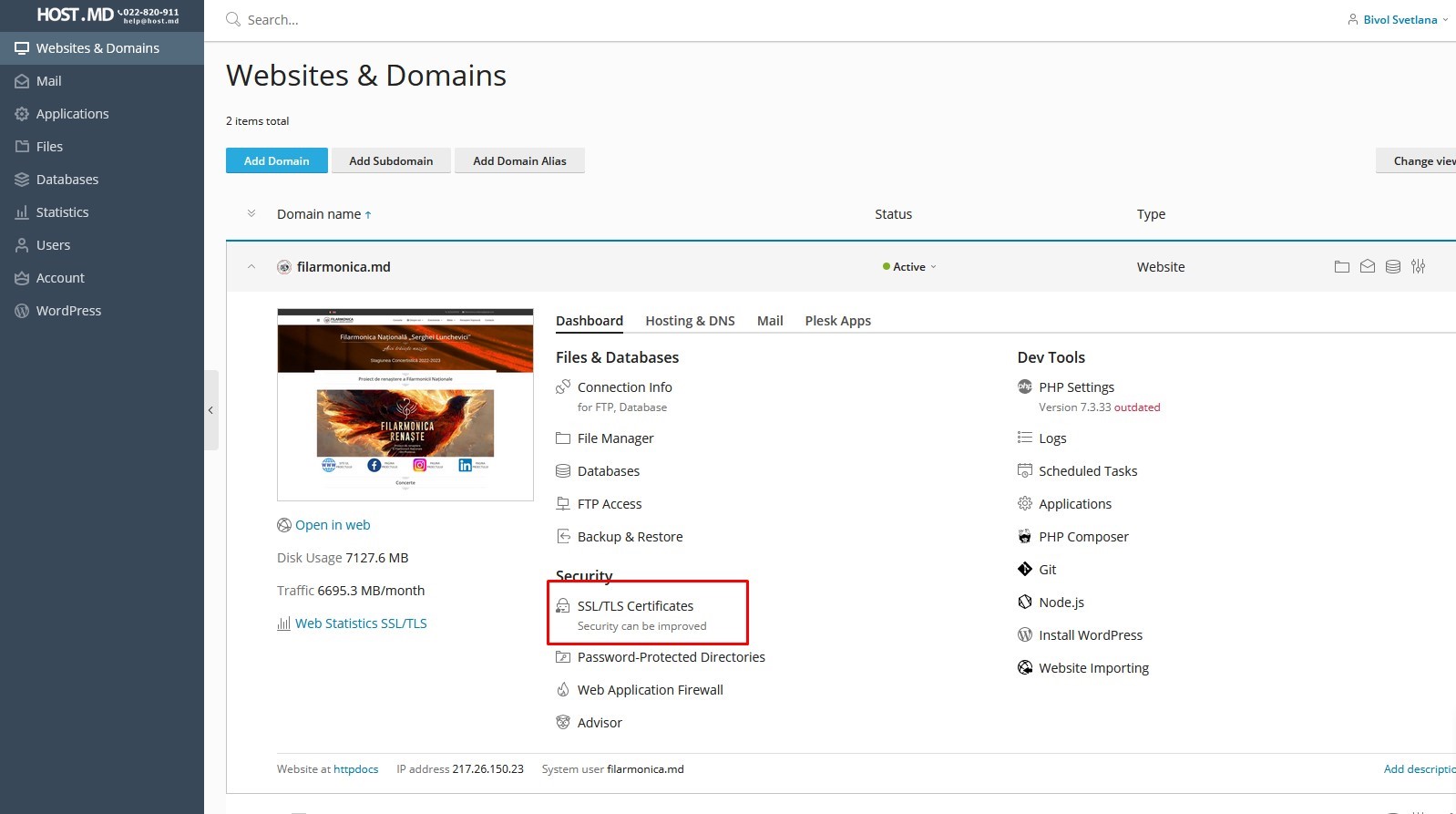
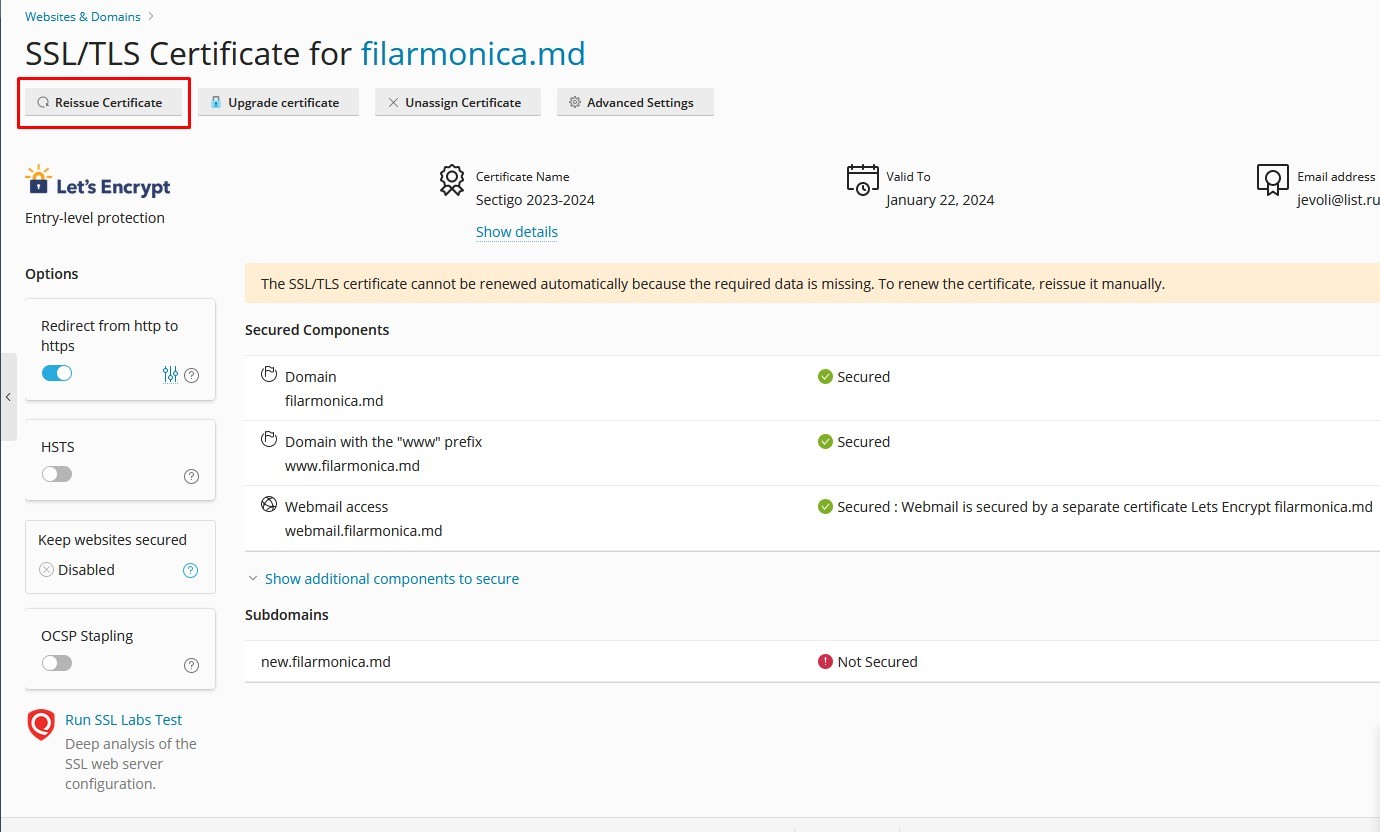
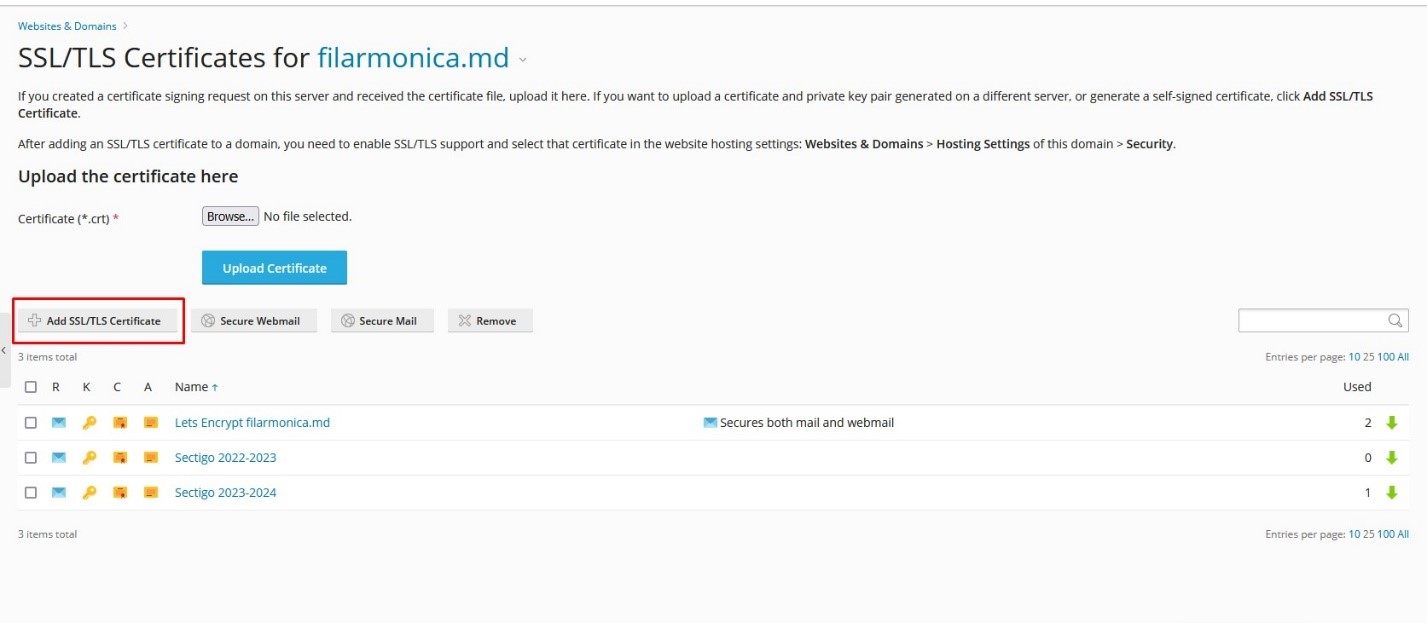
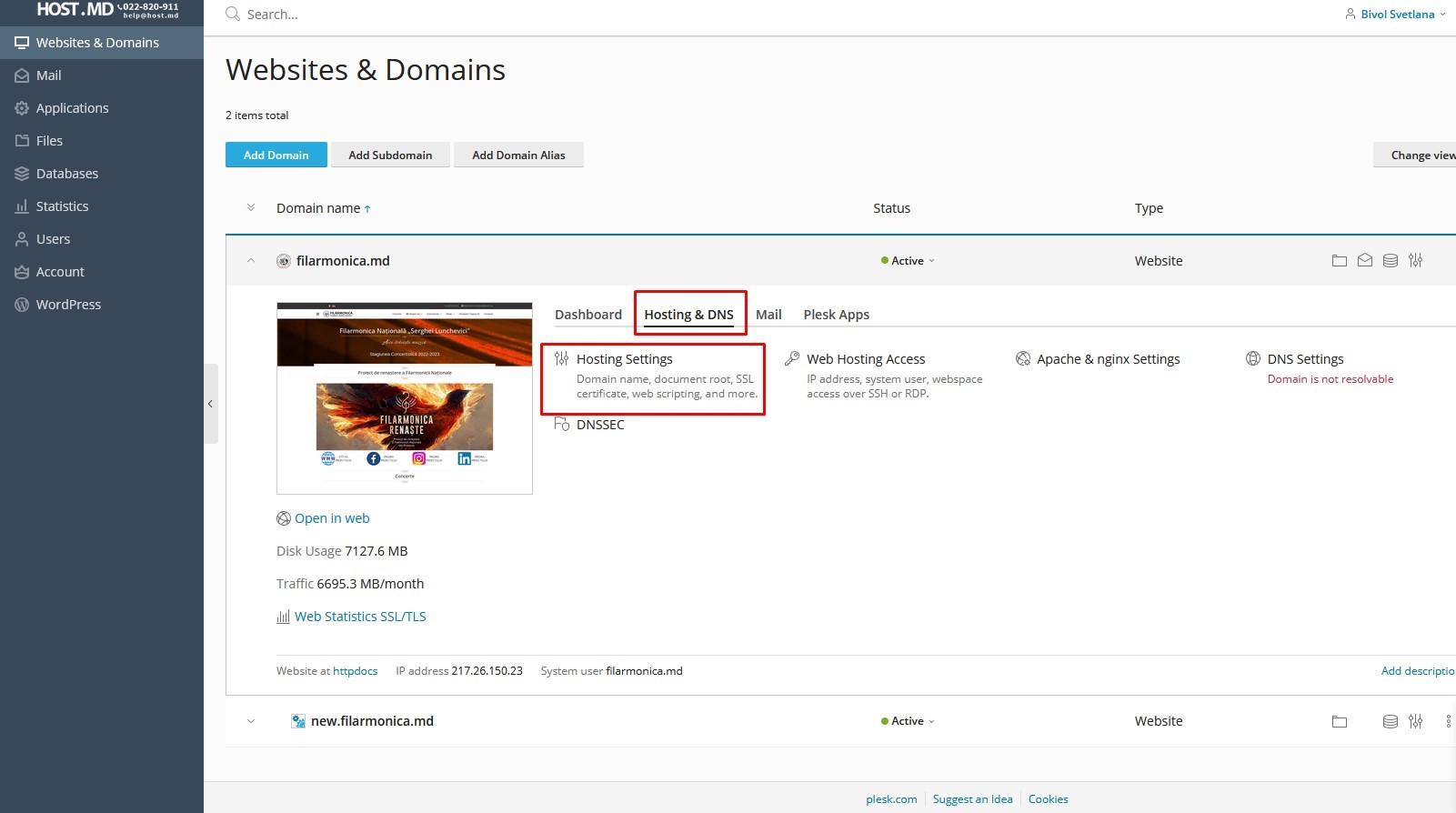
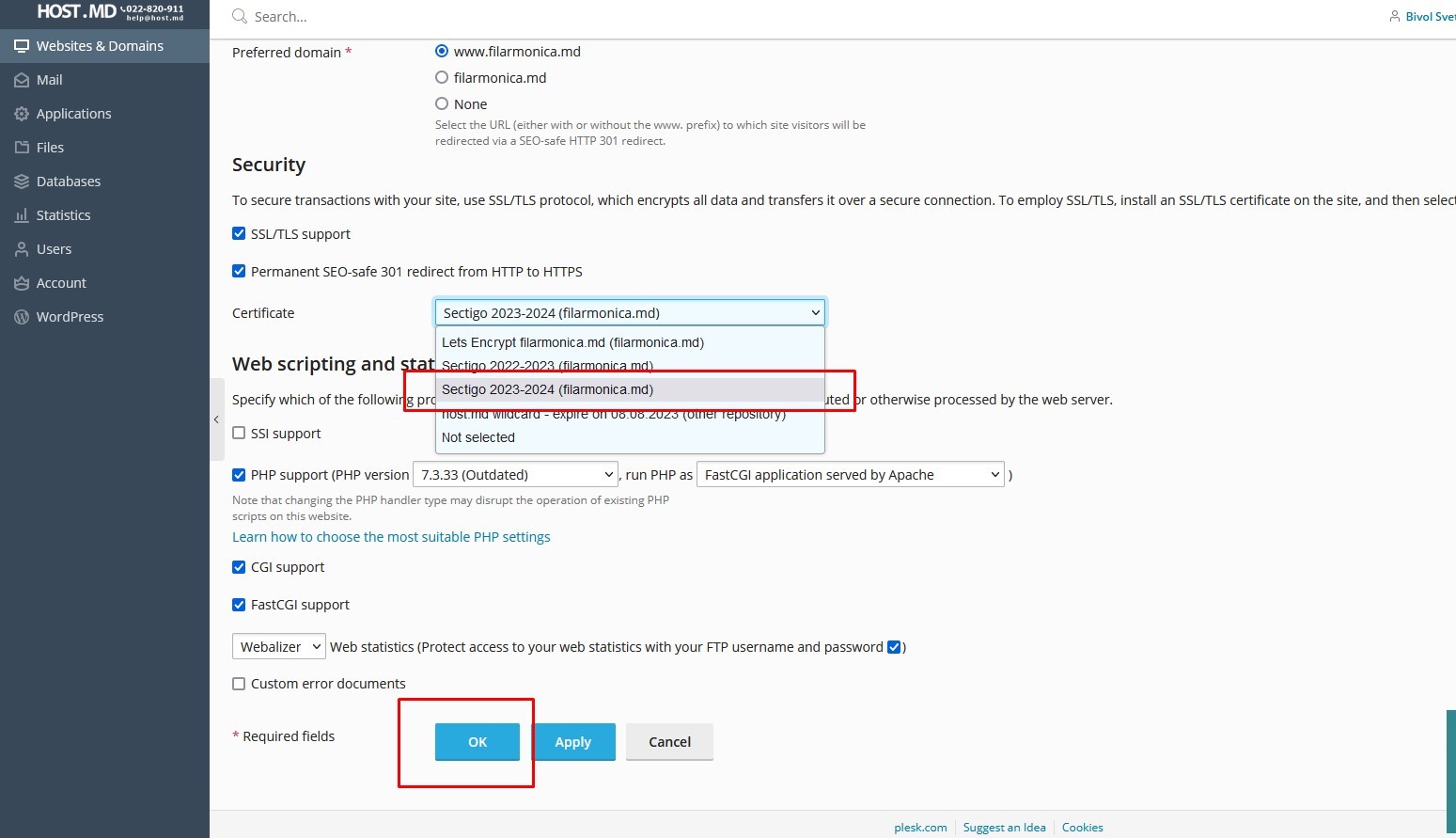
Overwrite the certificate on the UNA web server: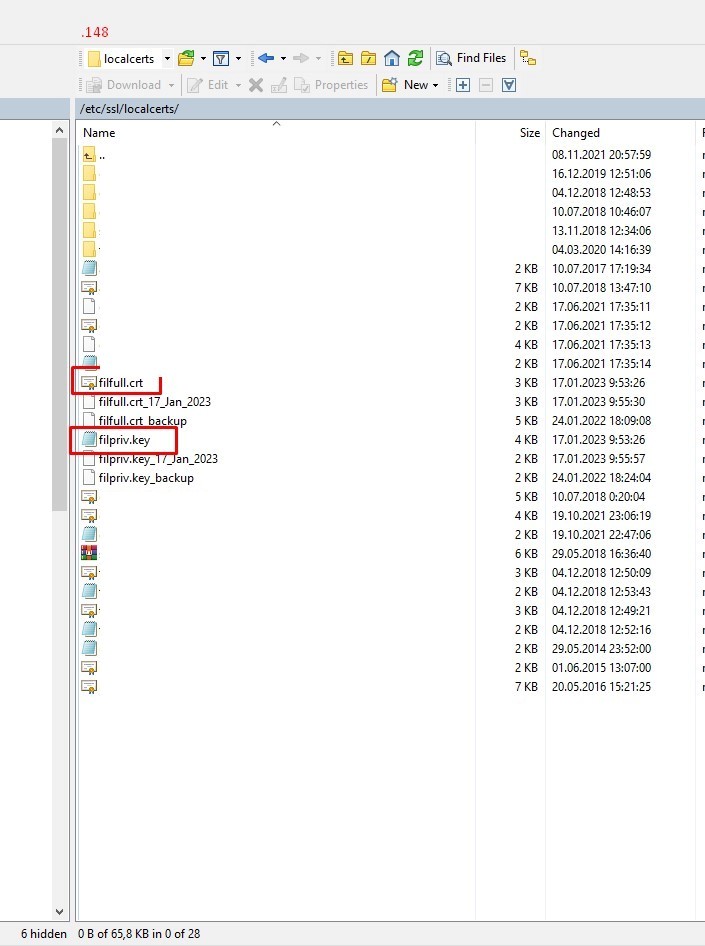
No changes need to be made to the config /etc/nginx/conf.d/filarmonica.md.conf, only overwrite these certificates and restart the server.
server {
listen 192.168.0.148:443 ssl ;
# charset windows-1251;
# charset utf-8;
ssl_protocols TLSv1 TLSv1.1 TLSv1.2 SSLv2 SSLv3;
ssl_ciphers ;
ssl_prefer_server_ciphers on;
ssl_session_cache shared:SSL:10m;
ssl_dhparam /etc/ssl/certs/dhparam.pem;
ssl_certificate /etc/ssl/localcerts/filfull.crt; # managed by Certbot
ssl_certificate_key /etc/ssl/localcerts/filpriv.key; # managed by Certbot
server_name tickets.filarmonica.md www.filarmonica.md filarmonica.md;
#error_page 502 /error-down.html;
#location = /error-down.html {
# root /usr/share/nginx/html;
#}
access_log /var/log/nginx/ssl_filarmonica.md.access.log main;
error_log /var/log/nginx/ssl_filarmonica.md.error.log warn;
client_max_body_size 64m;
include conf.d/filarmonica.inc;
location / {
proxy_pass https://217.26.150.23:443;
include proxy_setings.inc;
}
sudo systemctl restart nginx